Ultra-Thin Dual USB-C Fast Charger: What to Check
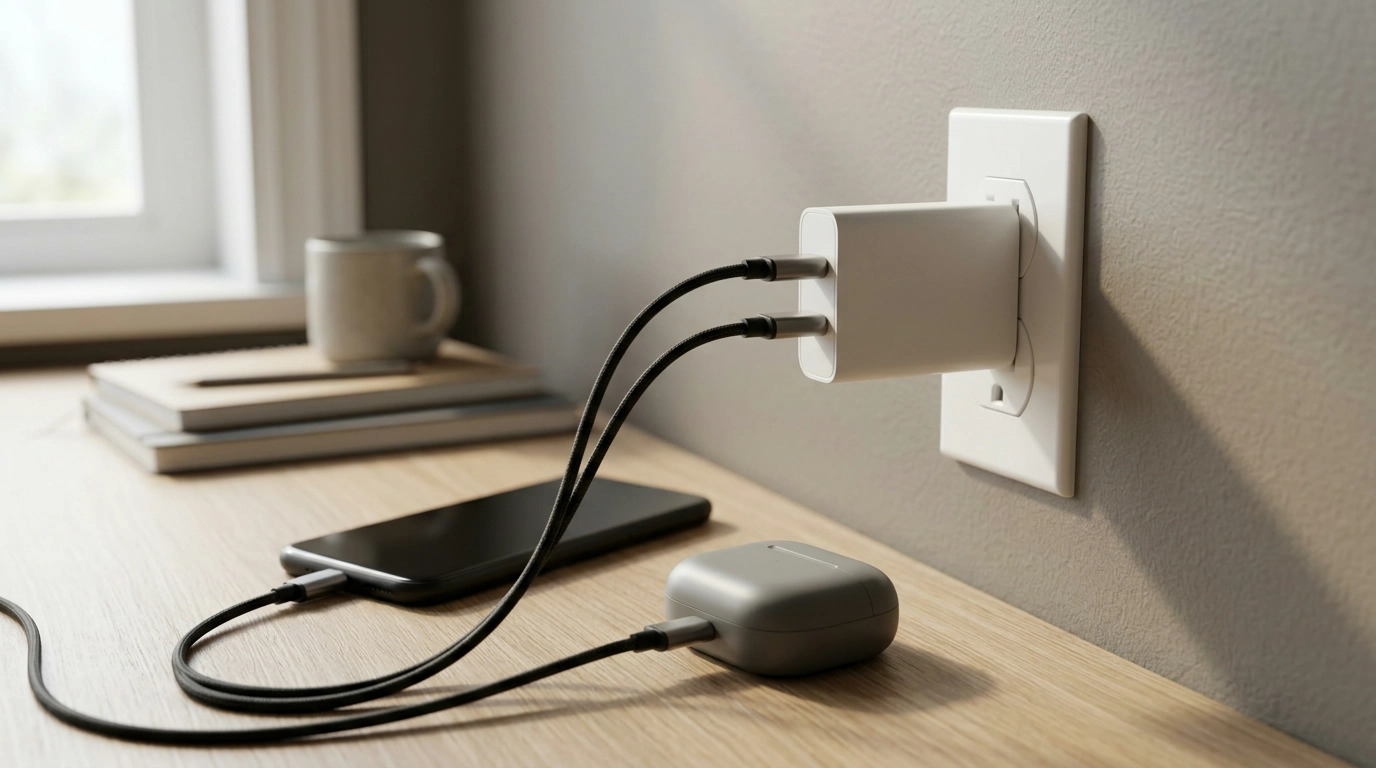
Charging your phone and a second device should not require two separate adapters every time you leave home. At a desk, you might want your phone and earbuds plugged in without swapping cables. For a short trip, you might prefer one charger that takes up less room in your bag. Our Ultra-Thin Dual USB-C Fast Charger brings two USB-C ports into a slim design for routines like these.
The appeal is straightforward: you have two ports available in one charger. Whether it is the right charger for your devices depends on their power requirements, the cables you use, and how you expect to charge them together. Here is what to consider before making it part of your everyday kit.
Make Room for a Simpler Charging Setup
A charging setup can get crowded quickly. One adapter sits behind the desk, another goes in a travel pouch, and you still have to remember which one to grab when two devices need power. A dual-port charger can simplify that routine by giving you a place to connect two USB-C cables at once.
Our charger’s ultra-thin design is especially appealing when bag space matters or you want a less cluttered spot beside your bed or workstation. It may help you carry one adapter rather than packing separate chargers for every device. That does not mean every pair of devices will charge at the same speed, or that every USB-C device has the same needs. The useful question is which devices you regularly charge together—and what each one requires.
Where Two USB-C Ports Come in Handy
Two ports are most helpful when you would otherwise unplug one device to make room for another. You could keep cables ready for a phone and USB-C earbuds at your desk, for example, if both devices are suitable for the charger. A tablet and phone might also be candidates, depending on their charging requirements.
| Routine | What to consider | How two USB-C ports may help |
|---|---|---|
| Desk or bedside charging | Which devices regularly need power together | Keep two USB-C cables ready in one spot |
| Daily carry | Space available in a bag or pouch | Pack one slim charger instead of separate adapters |
| Travel | Device charging requirements and available outlets | Use one outlet for two compatible devices |
Charging two devices at once may produce a different result from charging just one. Some devices also need more power than others. If getting a particular charging speed is important to you—perhaps because you have limited time before heading out—compare the devices’ requirements with the charger’s current specifications before relying on that setup.
Check Compatibility Before You Plug In
Start with each device, not just the shape of its port. Look up its charging specifications in the device documentation, then choose an appropriate USB-C cable. A USB-C connector tells you how a cable plugs in; by itself, it does not establish the wattage available or guarantee a fast-charging result.
Fast charging depends on the capabilities of the charger, the device, and the cable working together. If your phone calls for a particular charging capability, confirm that the charger and cable meet its requirements rather than assuming the words “USB-C” or “fast charger” settle the question. For background on how USB Power Delivery works, you can read the USB Implementers Forum’s USB Power Delivery guidance. That general guidance is useful for understanding charging terminology; it is not a claim that this charger supports a particular protocol or output.
Think about your cables, too. A second port is convenient only when you have a suitable cable for the second device. If you plan to leave one cable at your desk and carry another, decide where each will live so the simpler setup stays simple when you need it.
A Practical Addition to Your Everyday Kit
The main benefit of a two-port charger is having another connection ready when your routine calls for it. You may have fewer adapters to keep track of at home or fewer pieces to pack for a weekend away. The slim design also makes sense if you are trying to keep a small pouch organized rather than letting chargers collect at the bottom of your bag.
If you are planning a broader everyday organization routine, our Everyday AI Magic Checklist is a separate digital download focused on productivity and time-saving ideas. It is not a charging accessory, but it may be of interest if you are also looking for ways to streamline daily tasks.
When you are ready to compare options, view our Ultra-Thin Dual USB-C Fast Charger for its current price, availability, and product details. Before buying, match its stated capabilities and your cables to the devices you intend to charge—especially if you expect to use both ports regularly. A little preparation helps you choose a setup that fits your actual routine rather than one that only looks convenient in your bag.
FAQ
Can I charge two devices at the same time?
The charger has two USB-C ports for connecting two devices. Check both devices’ charging requirements, and do not assume they will charge at a particular speed when both ports are in use.
Will this charger fast-charge my phone?
That depends on your phone’s requirements and the capabilities of the charger and cable. Confirm that they work together for the charging result you want.
What should I check before buying a dual USB-C charger?
Check the power requirements of the devices you plan to connect, choose suitable USB-C cables, and compare those needs with the charger’s current product details.



Leave a comment